What is BOSS Mode in Salesfinity?
Last updated: April 22, 2026
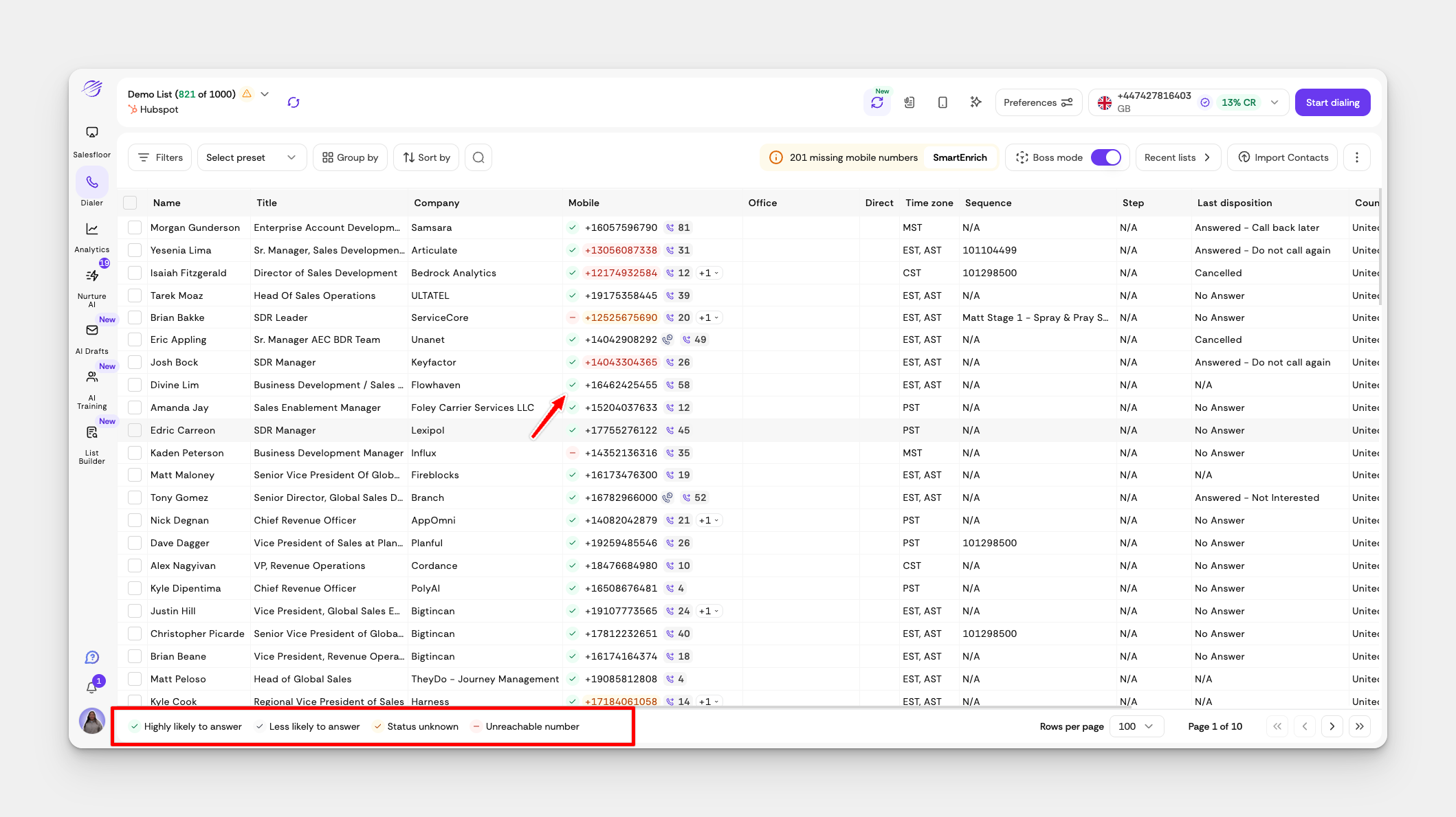
BOSS Mode helps you stop wasting time on bad phone numbers and focus your calls on the right people. It scans your prospect list and gives every phone number a Boss Mode score—so you know which ones are worth calling before you even touch the dialer.
🎯 What BOSS Mode Actually Does
BOSS Mode works behind the scenes to:
✅ Score each phone number with Boss Mode (P1, P2, P3)
🚫 Flag disconnected or low-quality numbers (BAT numbers)
🔁 Auto-enrich bad numbers with better mobile numbers using Smart Enrich
This means: You spend less time on voicemails, dead dials, or wrong numbers—and more time talking to decision-makers.
🔢 Understanding Boss Mode Scoring
After BOSS Mode scans your list, it gives each phone number a score:
Boss Mode Score | Meaning | Color | What It Tells You |
P1 | 📞 High chance of pickup | 🟢 Green | Call this number first – real human likely to answer |
P2 | 📞 Number works, but lower pickup rate | 🟡 Yellow | May go to voicemail or gatekeeper |
P3 | ❌ Low quality or disconnected (BAT) | 🔴 Red | Avoid calling unless enriched – usually bad or dead line |
⚙ How to Turn On BOSS Mode
It only takes one click.
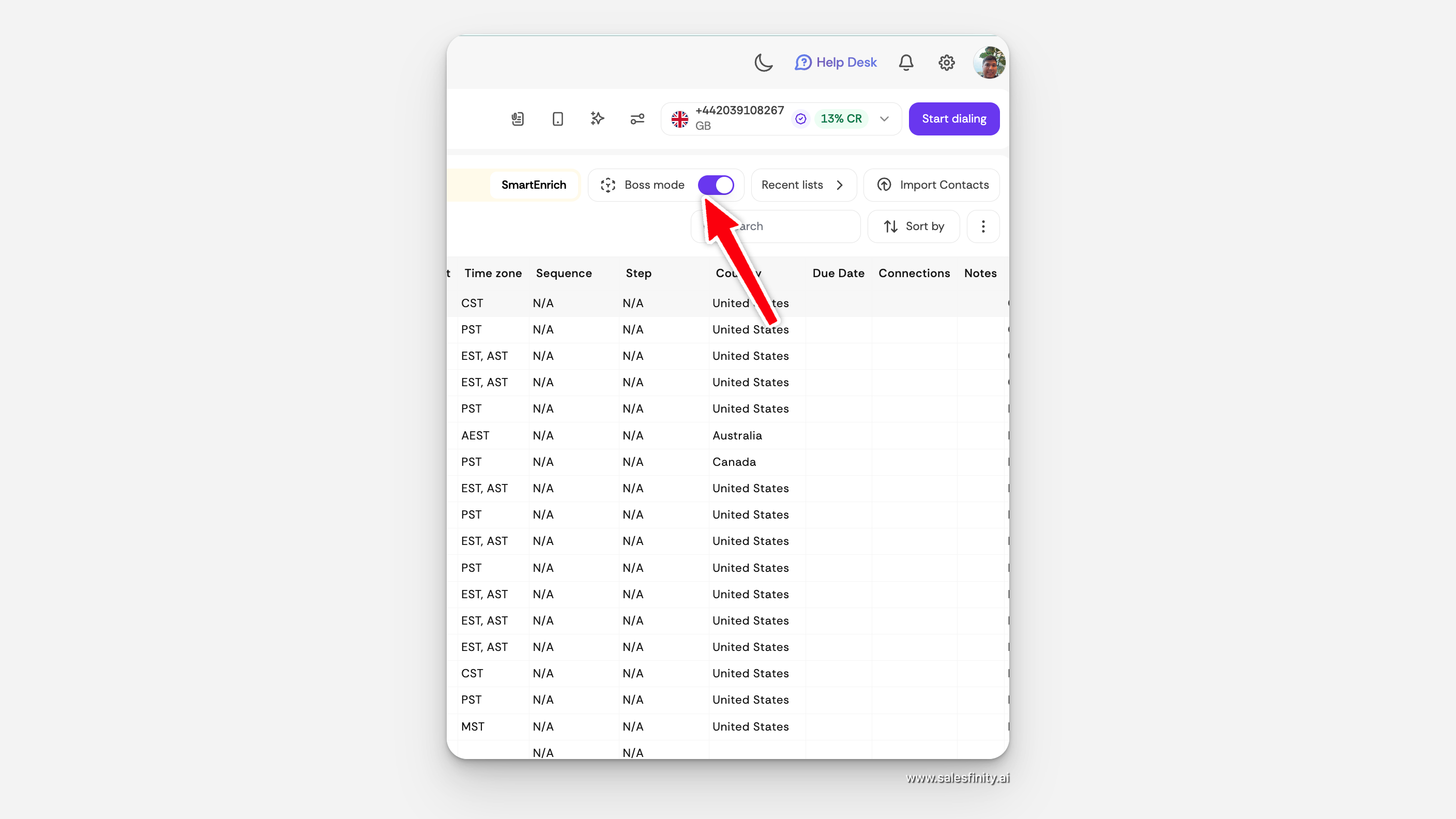
Go to your Dialer page
Toggle the switch that says BOSS Mode
Once it’s on, Salesfinity will:
Start scoring your numbers (takes a couple of minutes)
Show color-coded Boss Mode tags next to each contact
Auto-enrich any bad numbers (P3s) behind the scenes
🧠 How Smart Enrich Works with BOSS Mode
If BOSS Mode marks a number as P3 (bad or disconnected), Salesfinity will:
Instantly trigger Smart Enrich
Try to find a better mobile number from verified sources
Replace the old number with the new one, automatically
📘 Want to learn more? See How Smart Enrich Works →
🛑 What to Do With Each Boss Mode Score
🟢 P1s – Prioritize these. Start your calls here.
🟡 P2s – Still worth calling, but manage expectations (could go to voicemail).
🔴 P3s – Skip these. Either wait for Smart Enrich or move on.
💬 FAQs
Q: Do I need to upload anything special for BOSS Mode to work?
A: Nope. Just upload your list as usual—BOSS Mode handles the rest.
Q: How long does Boss Mode scoring take?
A: Just a couple of minutes after toggling it on.
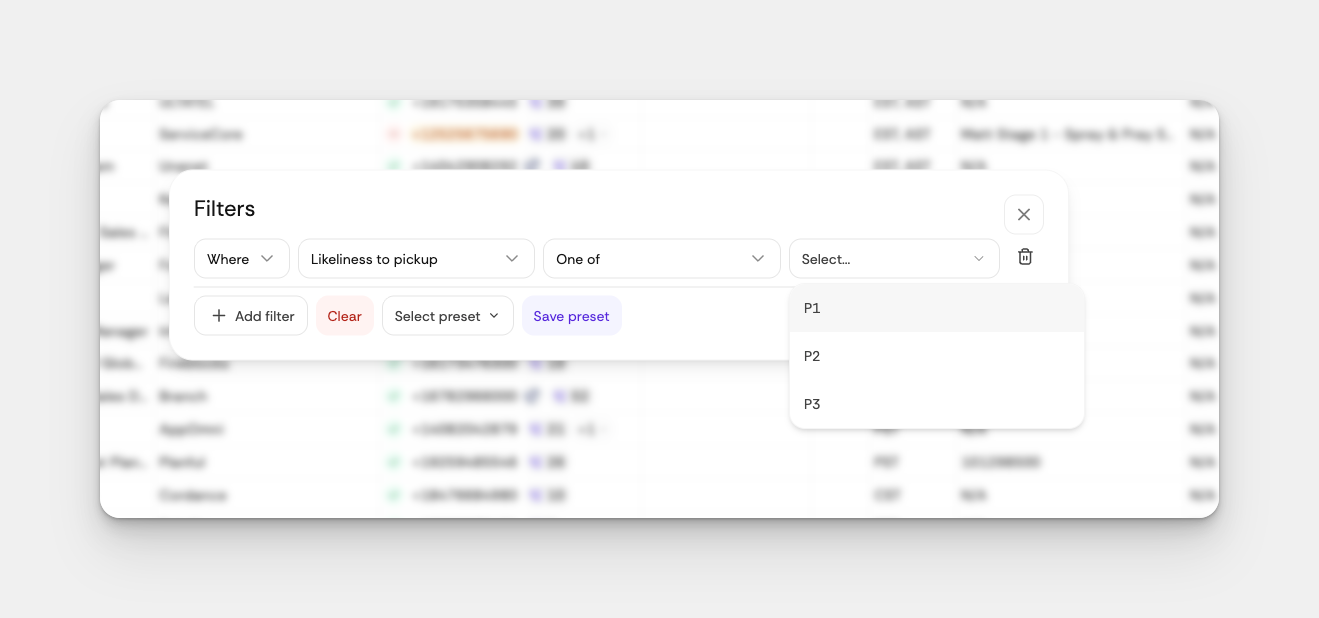
Q: Can I filter contacts by P1/P2/P3?
A: Yes! Use the Boss Mode filter dropdown on your Dialer or List View page.
Q: What’s a BAT number?
A: BAT stands for Bad, Automated, or Transferred—basically numbers that waste your time. BOSS Mode helps you skip these.
🔥 Pro Tip
Top reps filter their lists by P1 only to maximize pickup rates and book more meetings in less time.
🛠 Still Need Help?
Reach out to our team at hello@salesfinity.co or use in-app chat—we’re here to help you close more.