What the Salesfloor in Salesfinity?
Last updated: April 22, 2026
Salesfloor is your virtual sales office—an interactive space where SDRs can join rooms, collaborate, and cold call together in real time.
Instead of dialing alone, Salesfloor turns outbound into a team sport by bringing energy, visibility, and shared momentum to every session. Whether your team is working from home or in the office, it recreates the buzz and accountability of a live sales floor.
🚀 Key Benefits
🧑🤝🧑 Collaborate with teammates while dialing
🎧 Live listen-in support from managers or peers
🔇 Auto-mutes others when you get a live connect
📣 Real-time coaching via private messages
🏆 Make calling fun and social (instead of isolating)
🛠 How to Access Salesfloor
Step-by-Step:
Make sure you’re on the Enterprise Teams plan
Select the "Salesfloor"
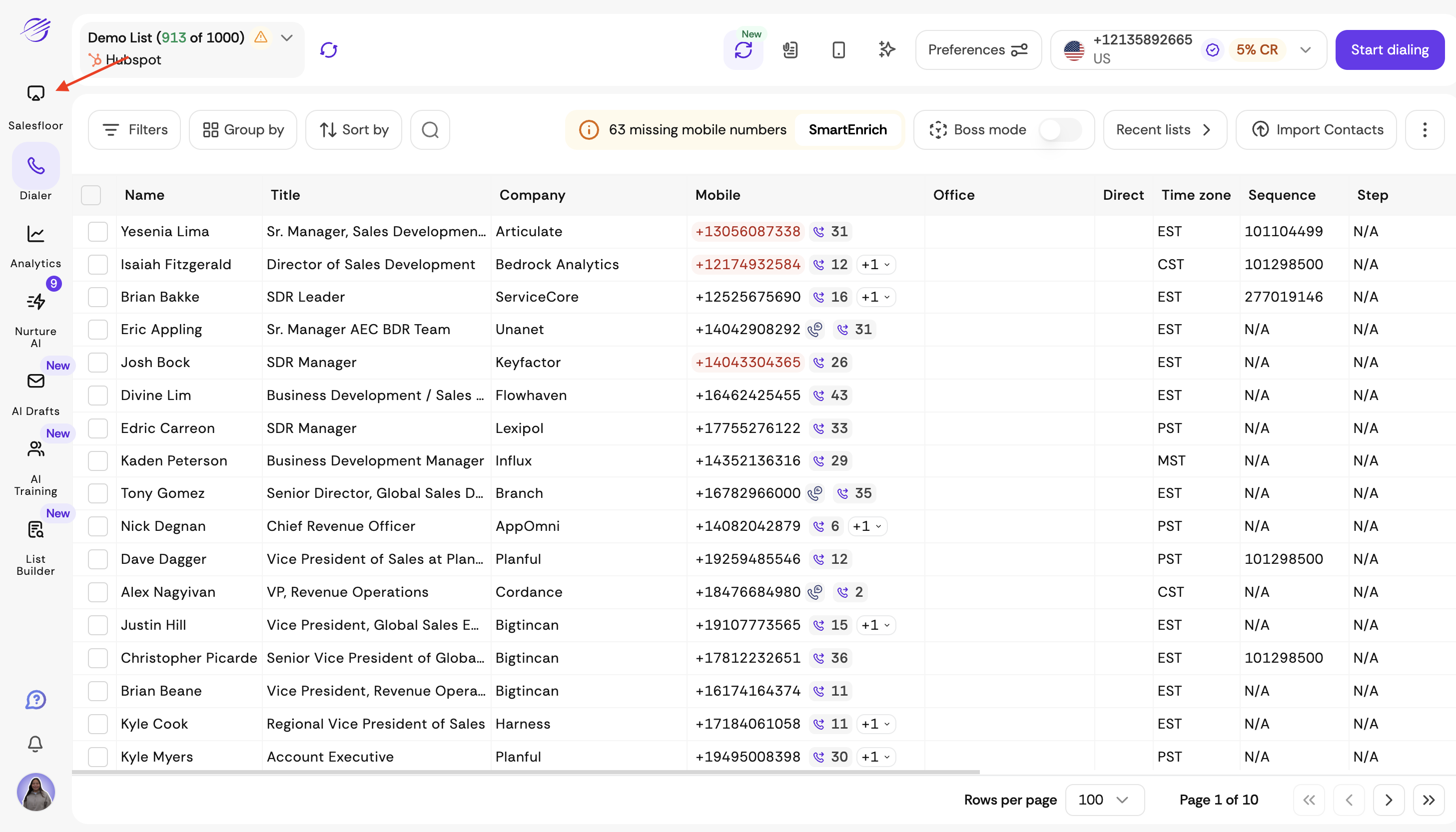
Click + New floor to create a new virtual room
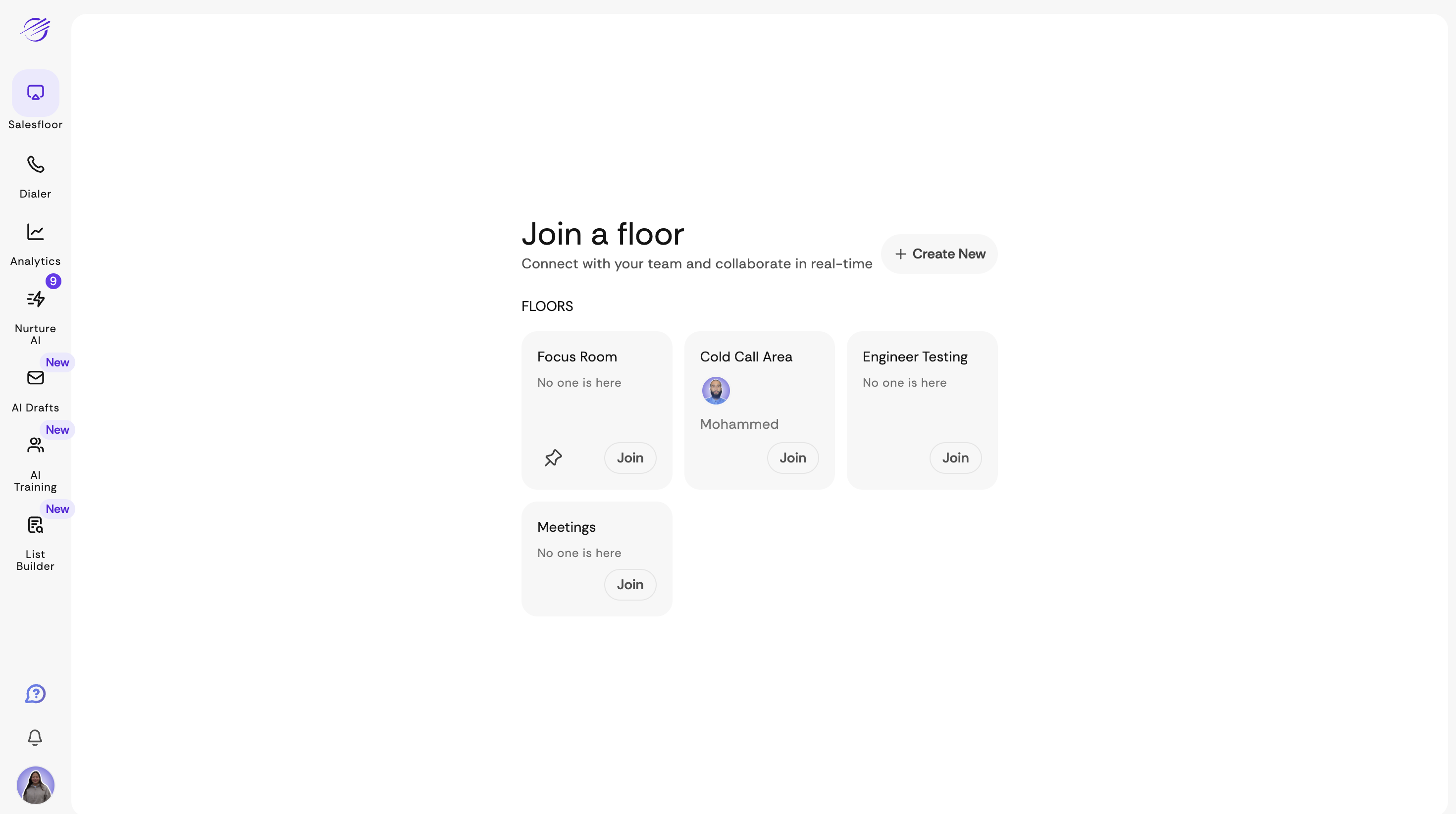
Give your floor a name
Share the link or invite teammates
Once joined, you can start dialing with your team live.
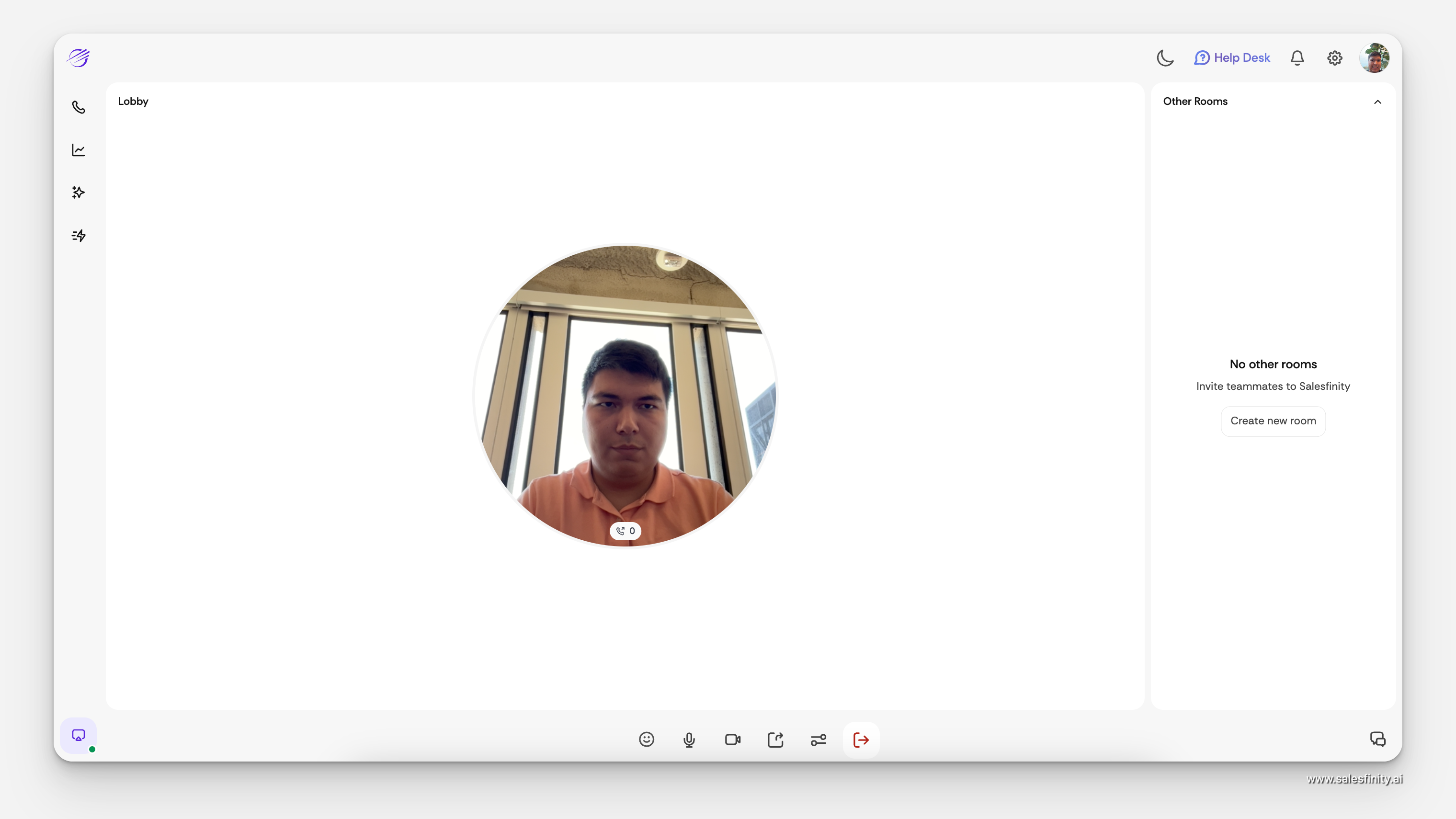
📞 What Happens on a Live Connect?
When you get a live answer, you’ll be automatically moved to a private Phone Booth room:
Everyone else’s audio is muted
You can focus 100% on your conversation
Managers can click “Listen” to monitor the call in real time
They can also send you a private message for live coaching
🔒 Who Can Access What?
🧑 SDRs can join any open floor and start dialing
🎧 Managers can listen, monitor, and coach live calls
🧠 Non-dialing teammates (like enablement or RevOps) can observe for training
💡 Pro Tips
Pin your favorite floors so they always show up
Use different floors for different teams or regions
Keep your camera off/on depending on team culture
Start the day with a floor-wide standup, then go into power hour mode