How to find a call that didn't log correctly
Last updated: June 2, 2026
If you closed your browser tab before logging the call — it may not appear in your standard call history. In many cases, the call is still captured as an incomplete call and can be retrieved from the Call History section.
Finding an incomplete call
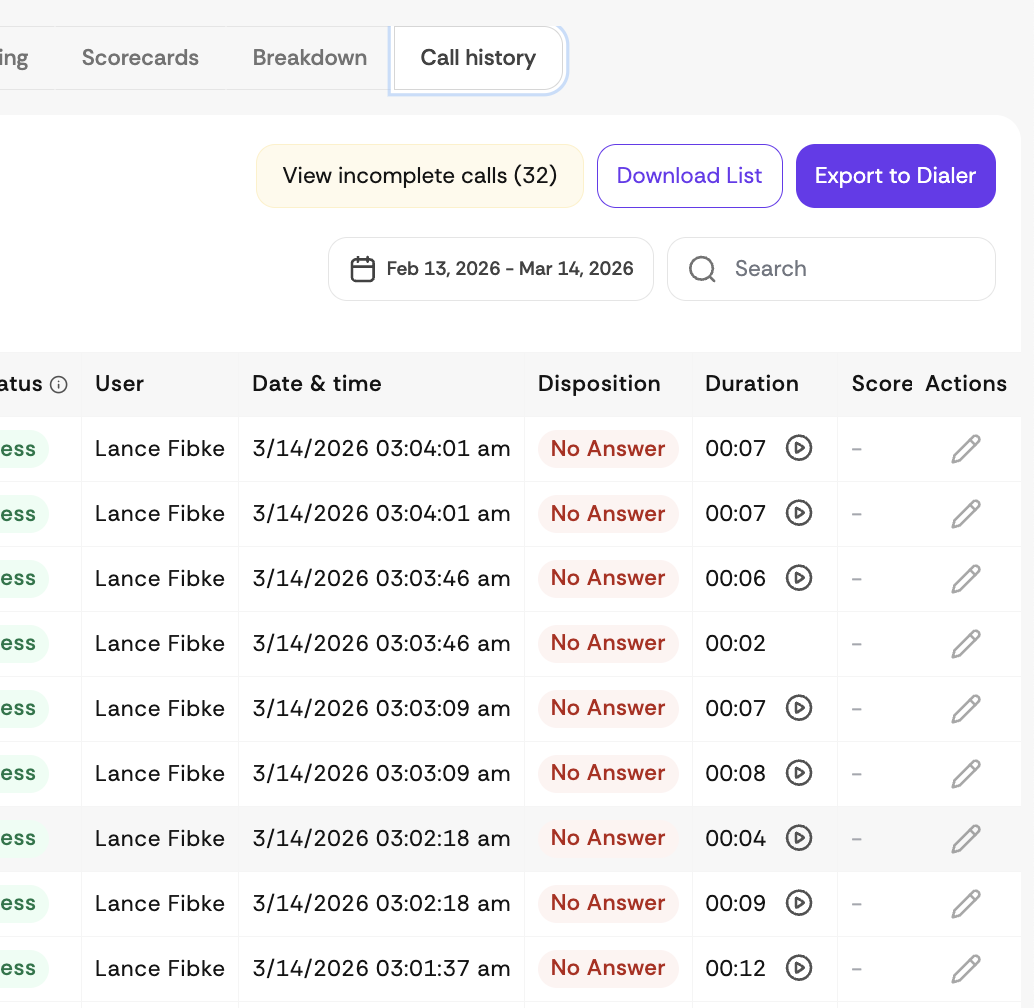
Navigate to the Call History section of the platform.
Look for the View Incomplete Calls button, located next to the Download List button on the right side of the page.
Click it to display all calls that were not fully logged.
Still can't find your call?
If the call does not appear under incomplete calls, please reach out to our support team with the prospect's phone number so we can investigate further.