Getting started with HubSpot
Last updated: April 23, 2026
Step 1: Ensure you have the right permission in Hubspot
Log in to your Hubspot account.
Navigate to the Settings page.
Locate permission settings and ensure that each user has "Marketplace permission.
Step 2: Connecting Hubspot to Salesfinity
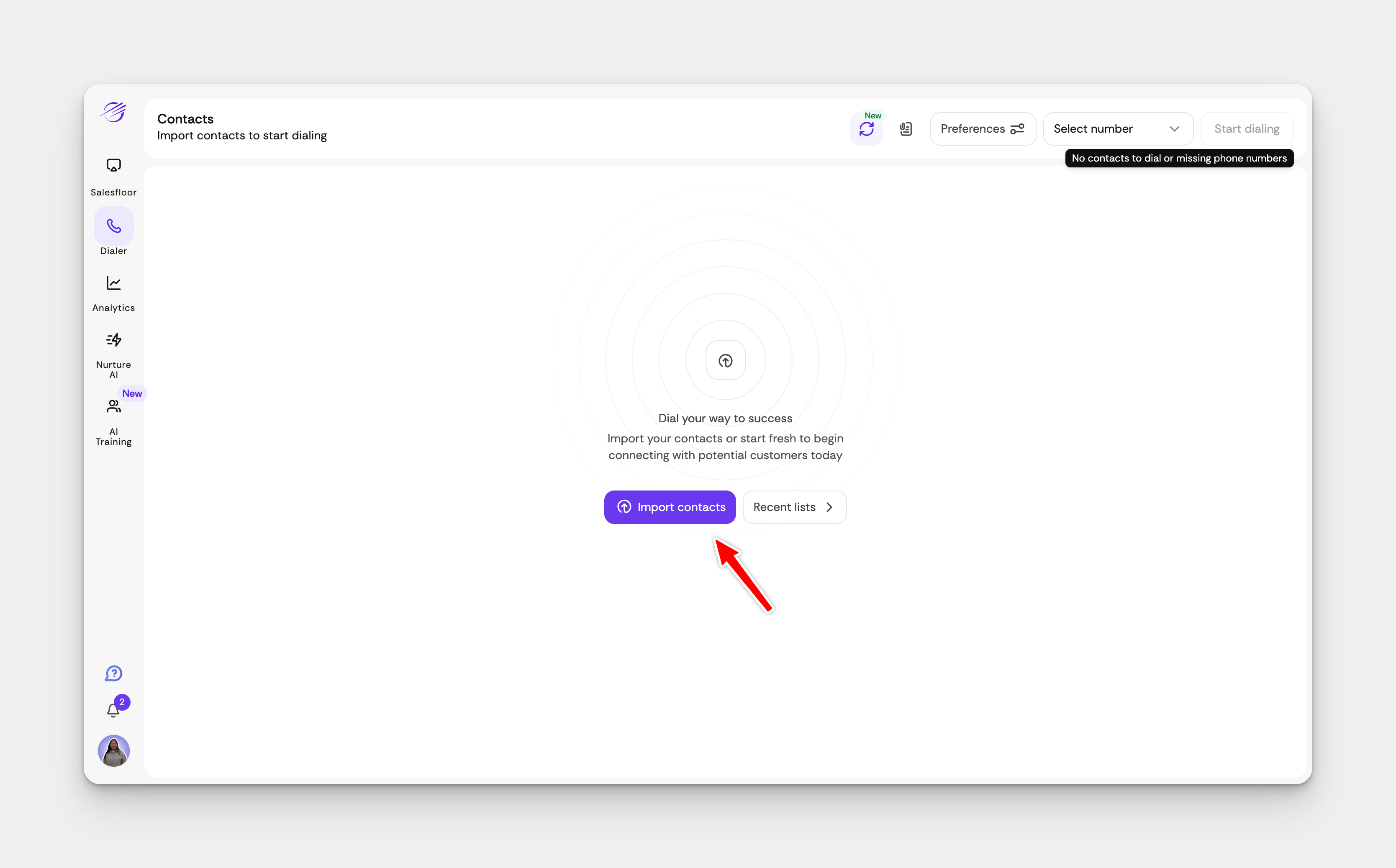
Open your Salesfinity dashboard and click on 'Import Contacts'.
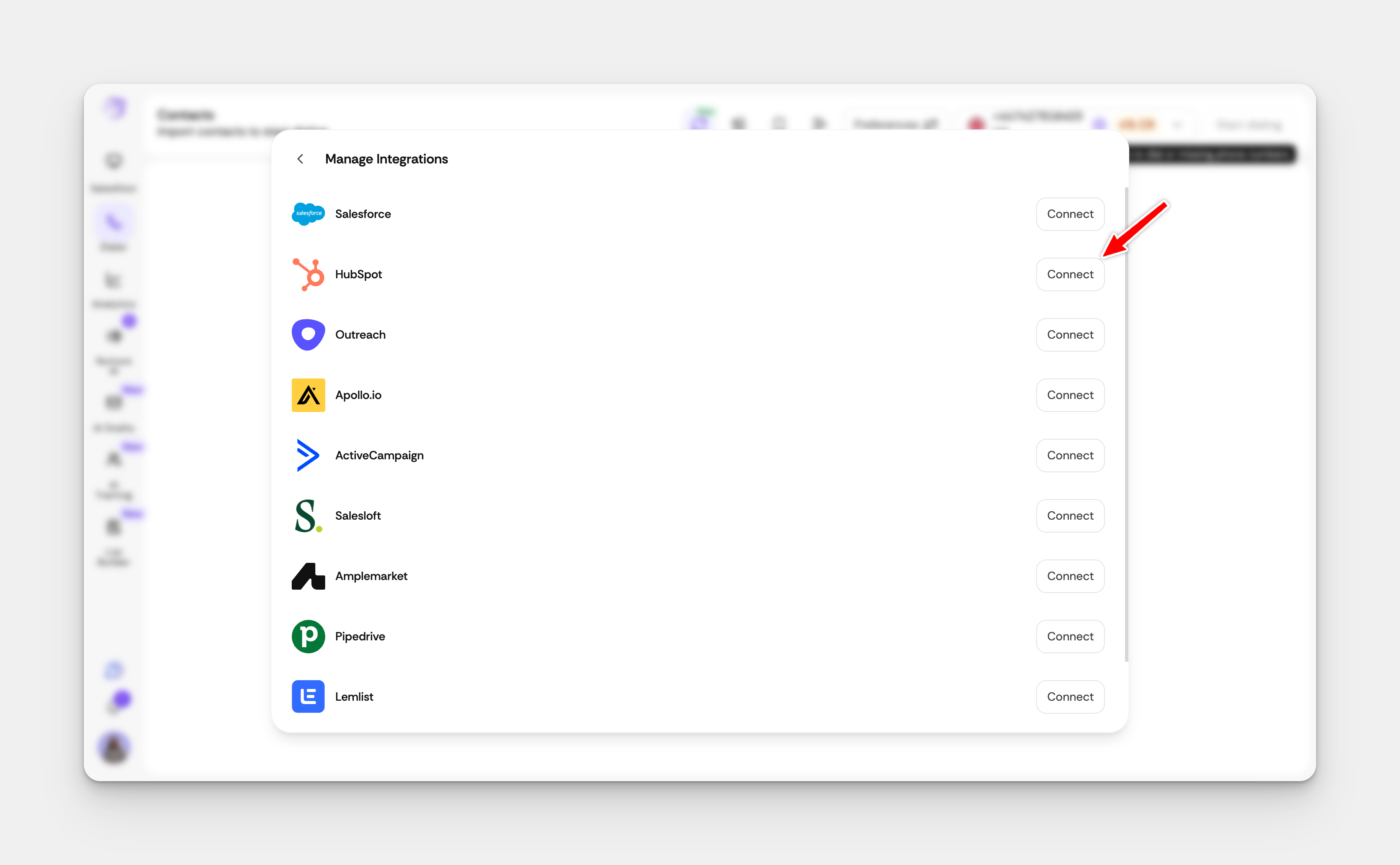
Find the Hubspot Integration section and click Connect.
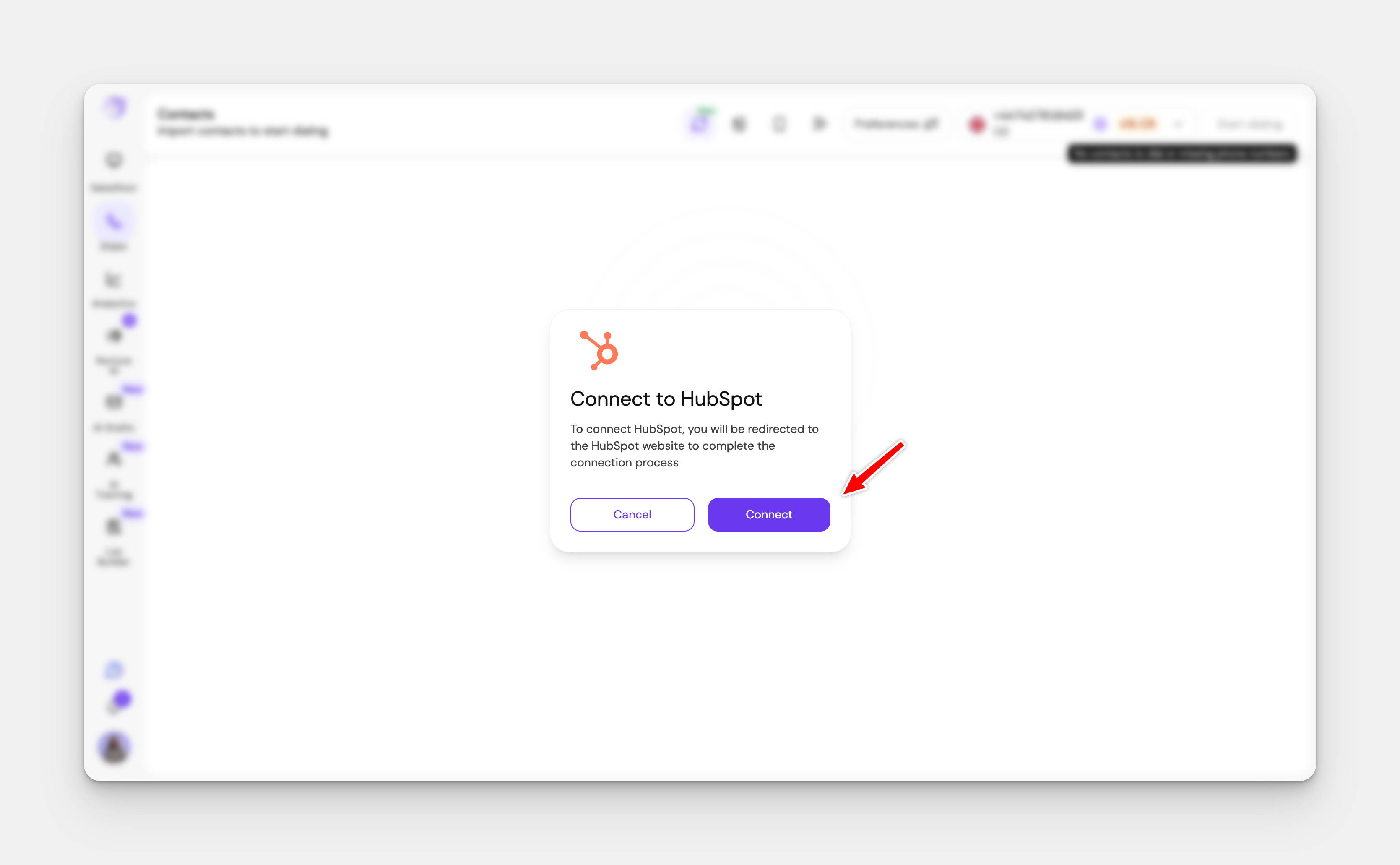
Then select Connect. You will be prompted to open a new browser.
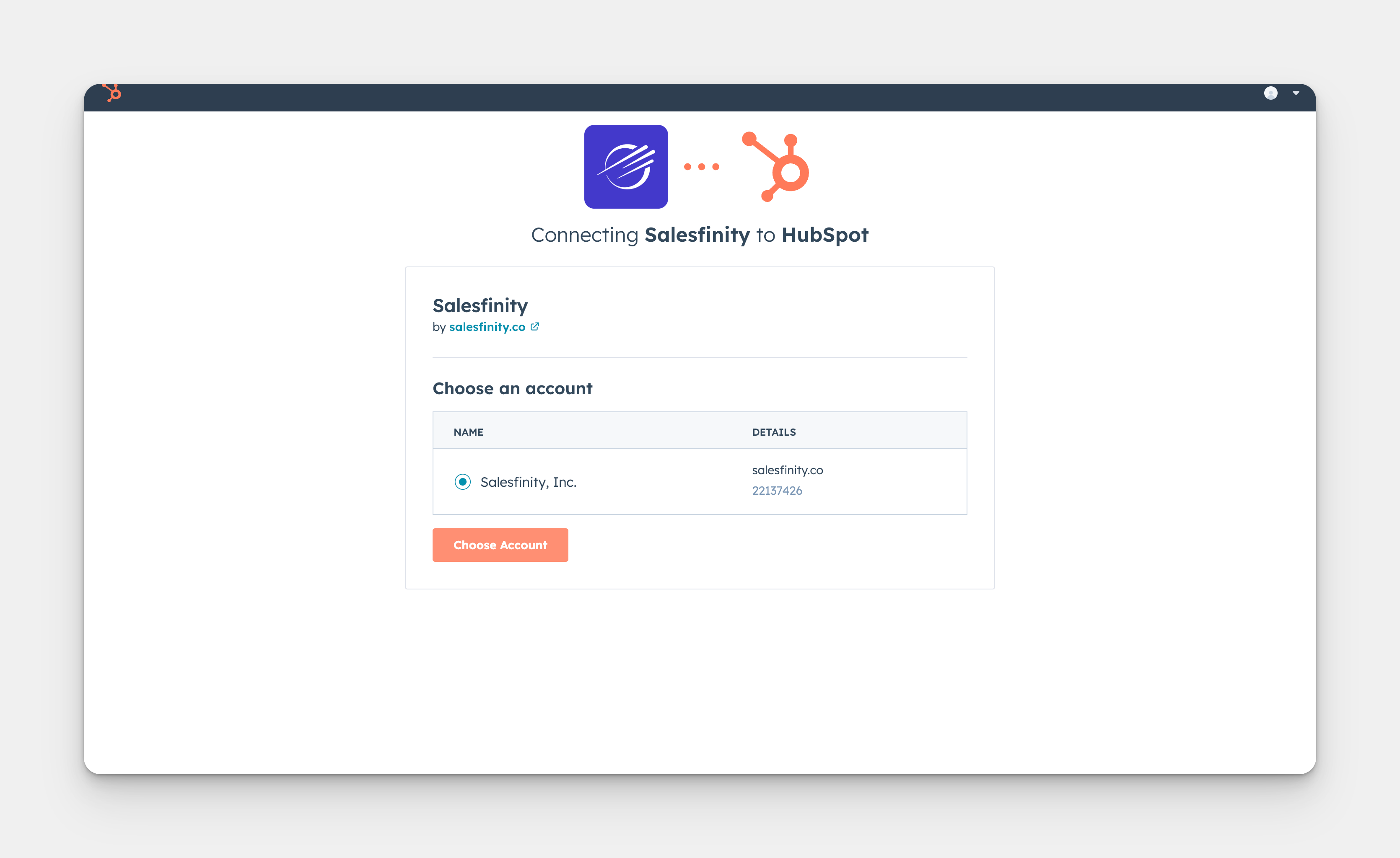
Select the account you want to connect.
Click here to see interactive demo
Step 3: Disposition Mapping
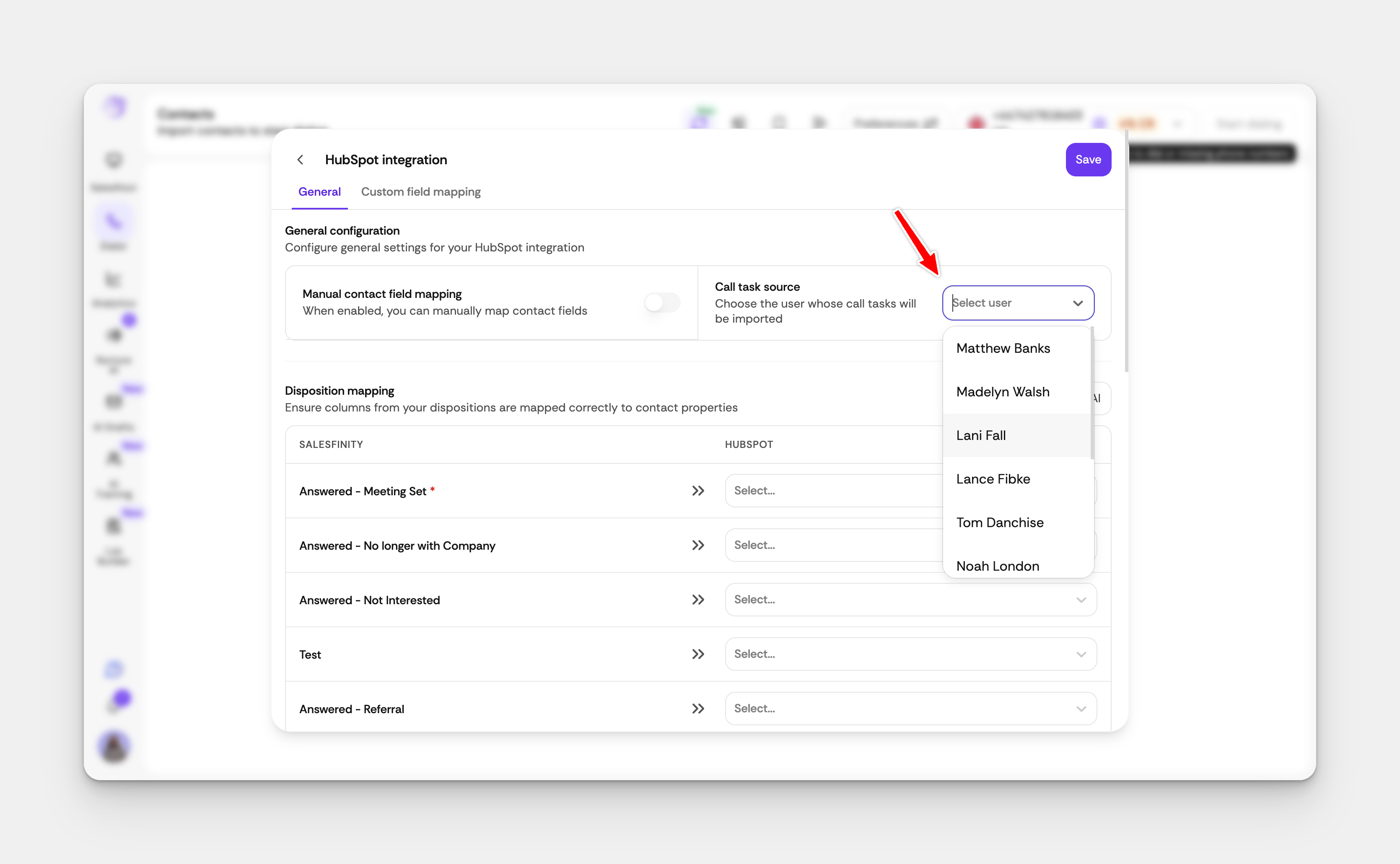
Under call Task Source select you Name.
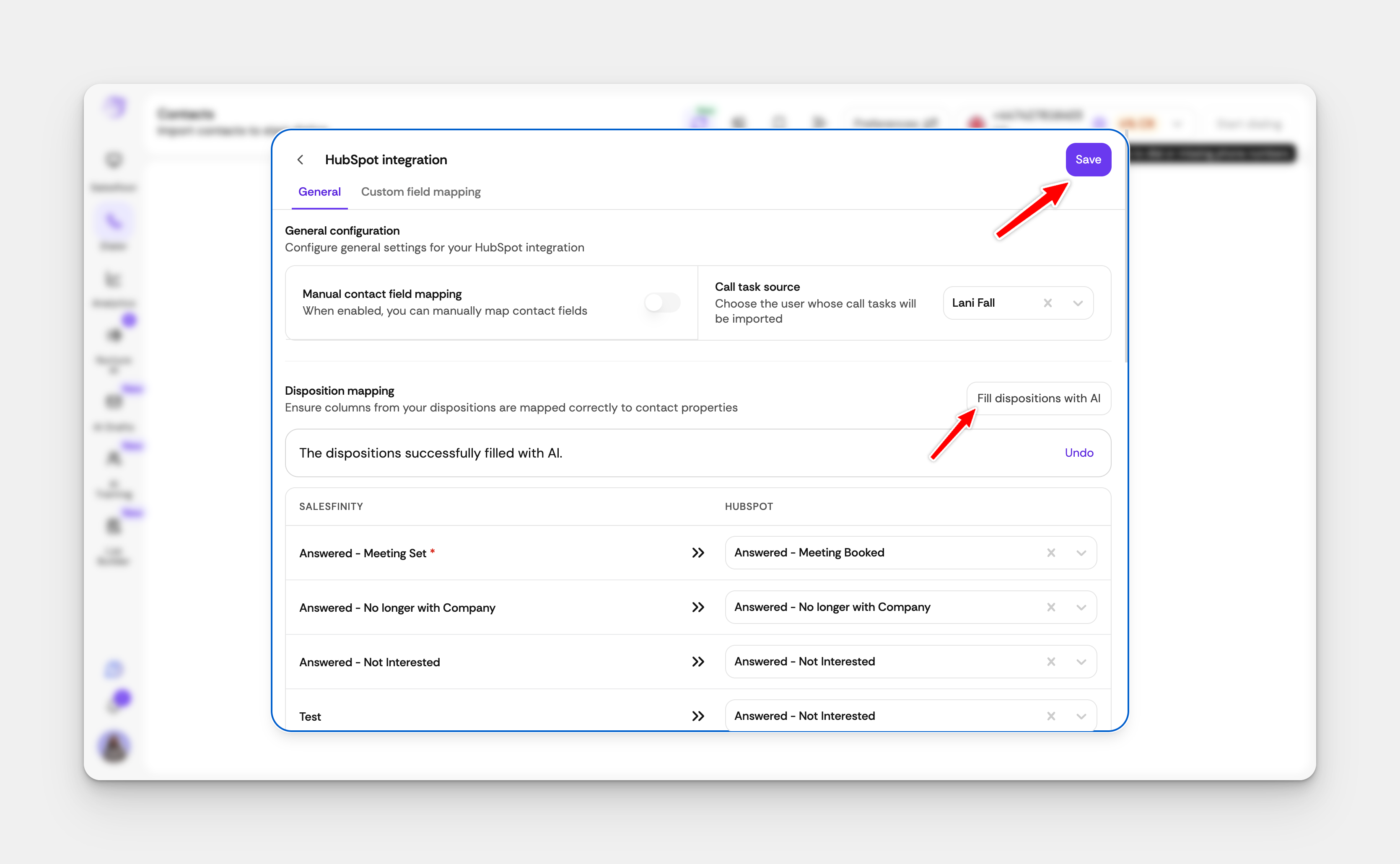
Next select Fill Dispositions with AI and select Save (Note: Make sure disposition mapping is the same for all users)
Step 4: Add Disposition Mapping Felids in Hubspot
Log in to Hubspot
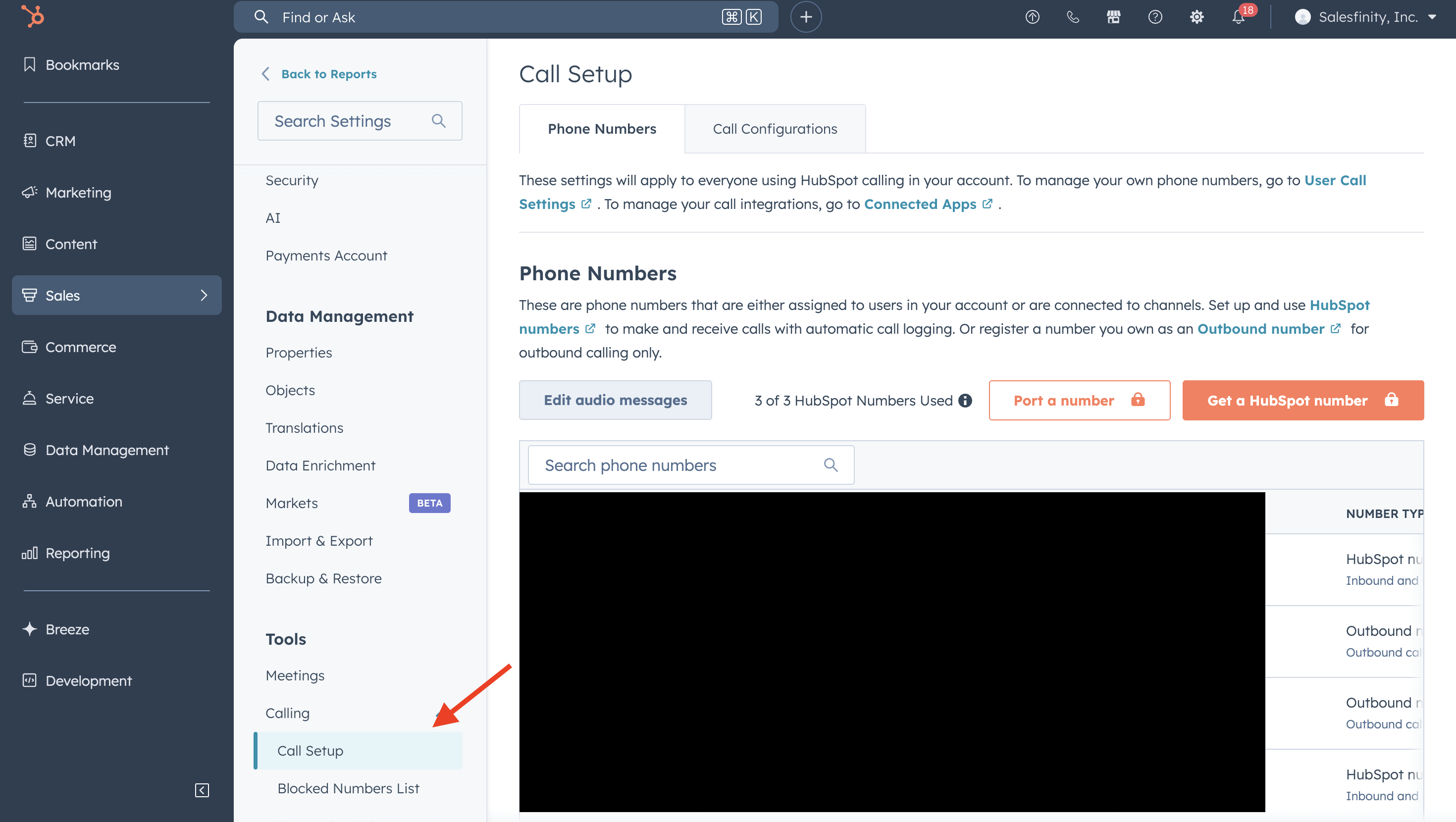
Select Settings and Call Setup
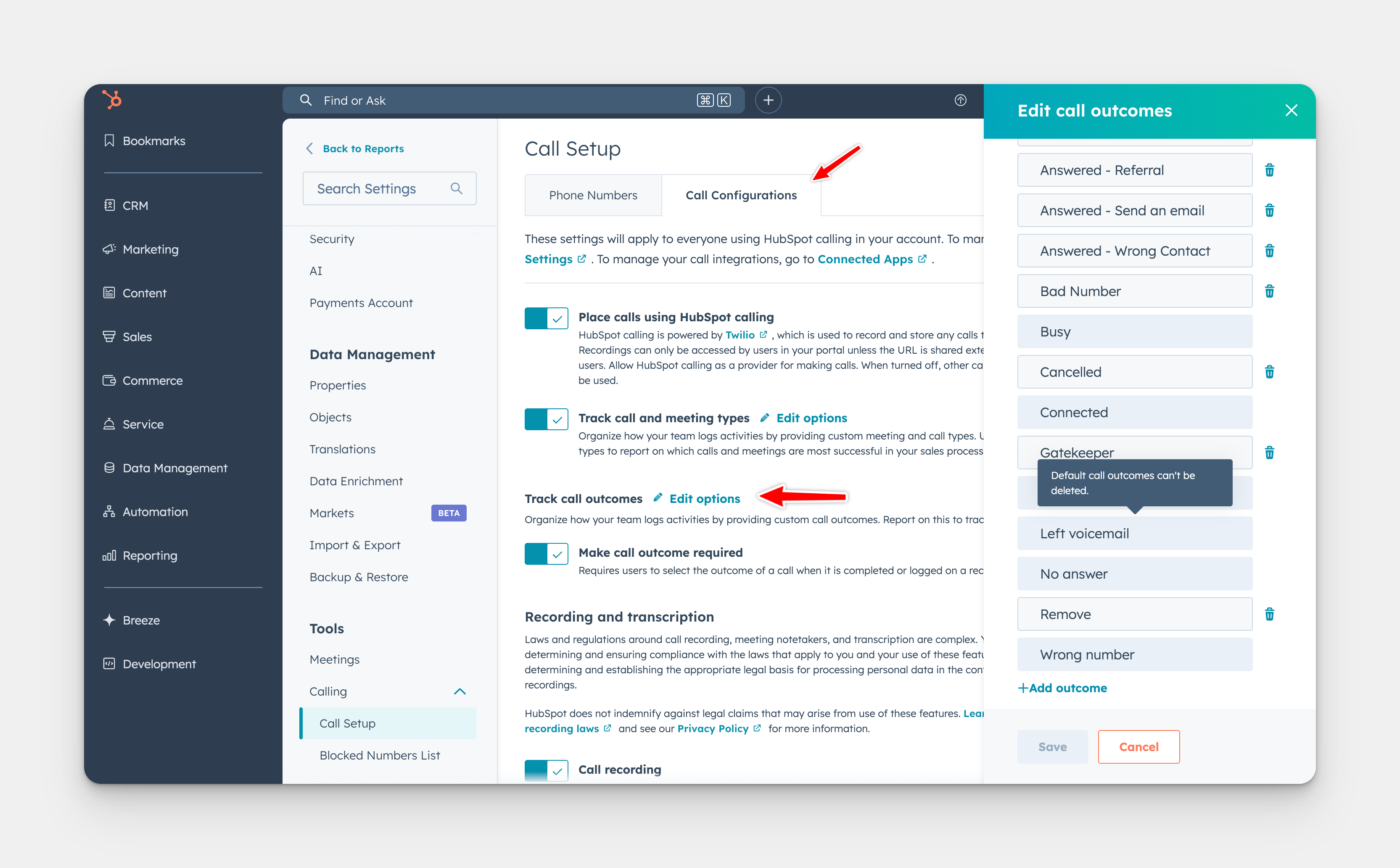
Under Call Configurations select Track Call outcomes then Edit
You're All Set!
Once the integration is active, you can start importing due call tasks directly from Hubspot to Salesfinity.