Getting started with Salesforce
Last updated: April 23, 2026
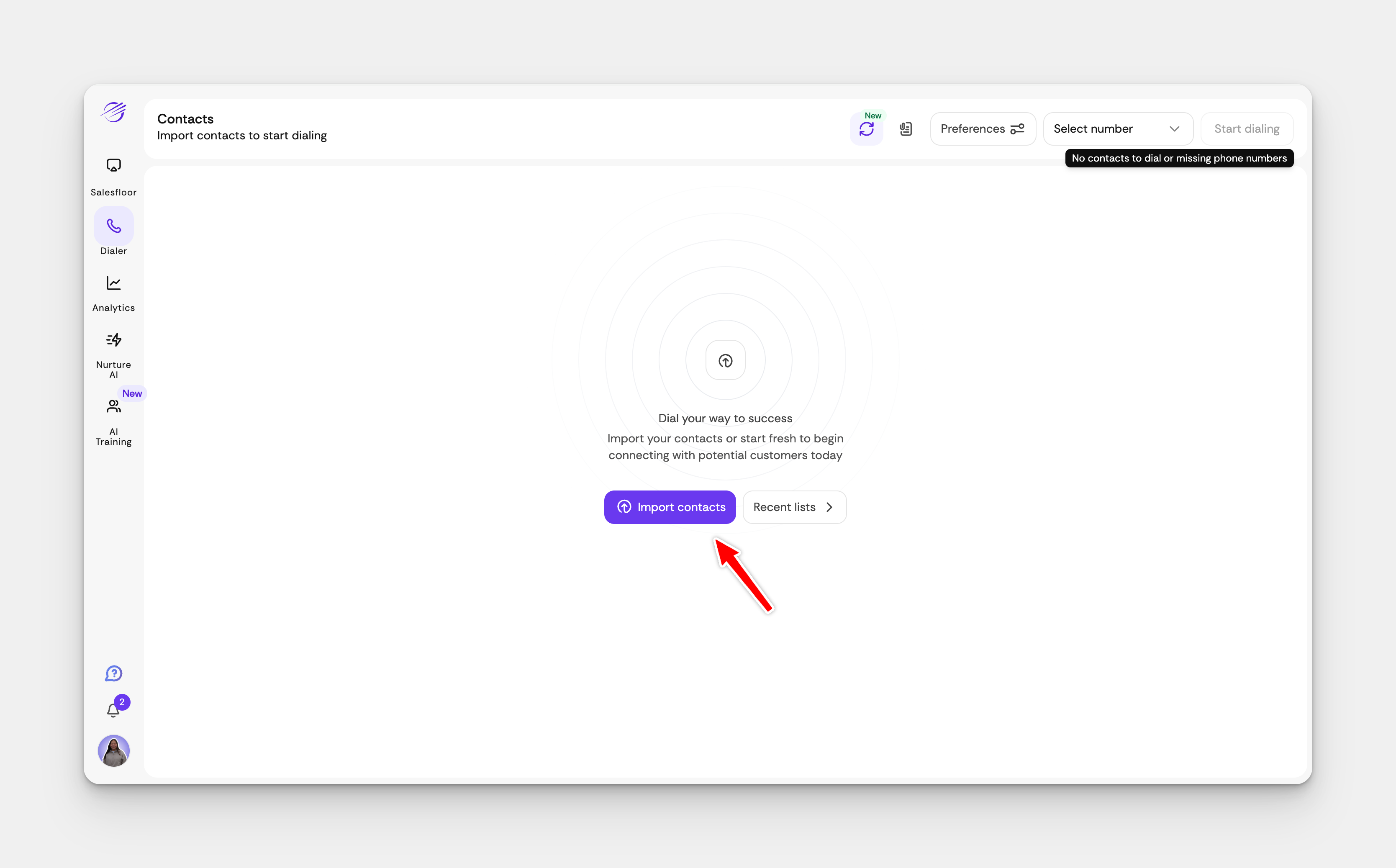
Open your Salesfinity dashboard and click on 'Import Contacts'.
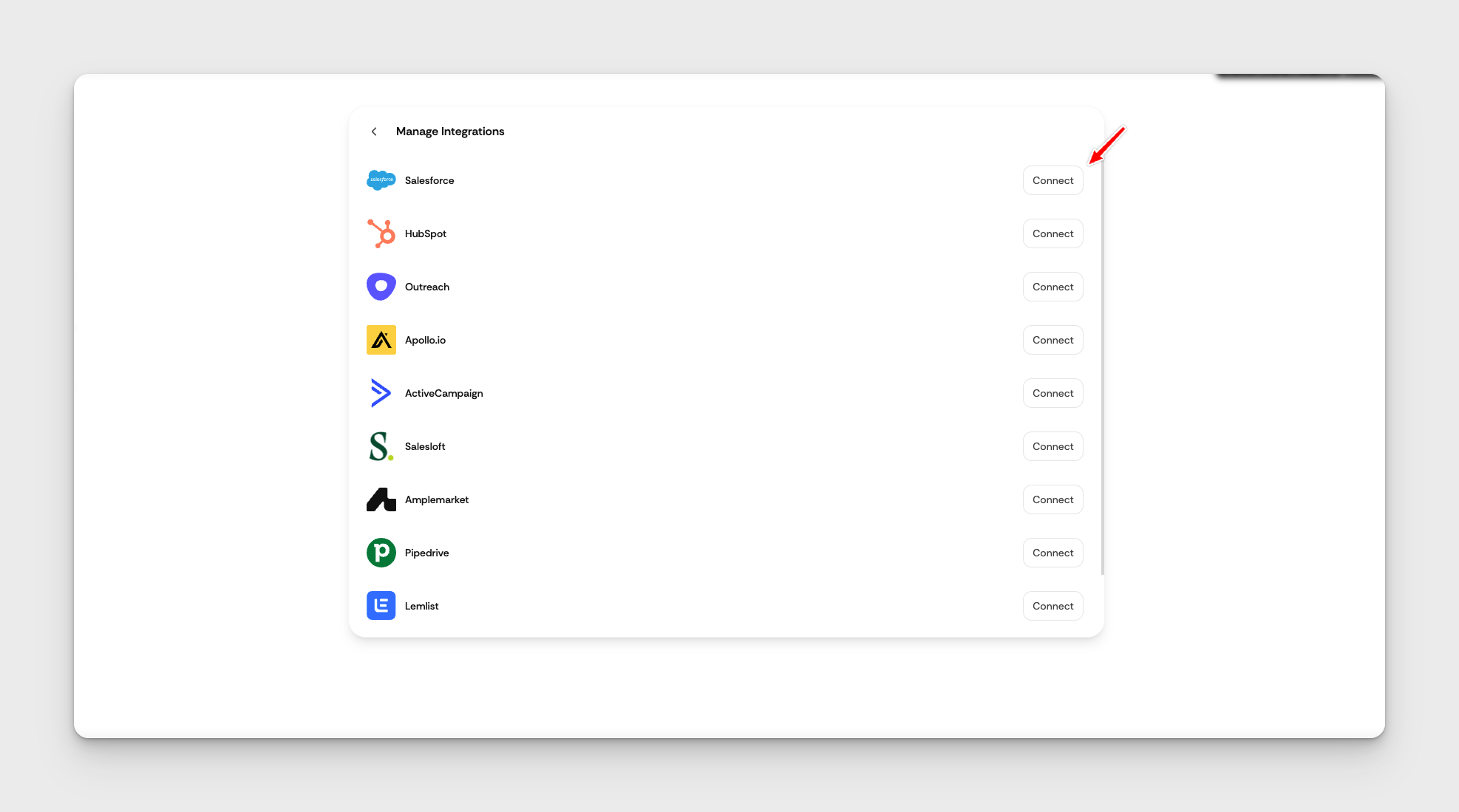
Find the Salesforce Integration section and click Connect.
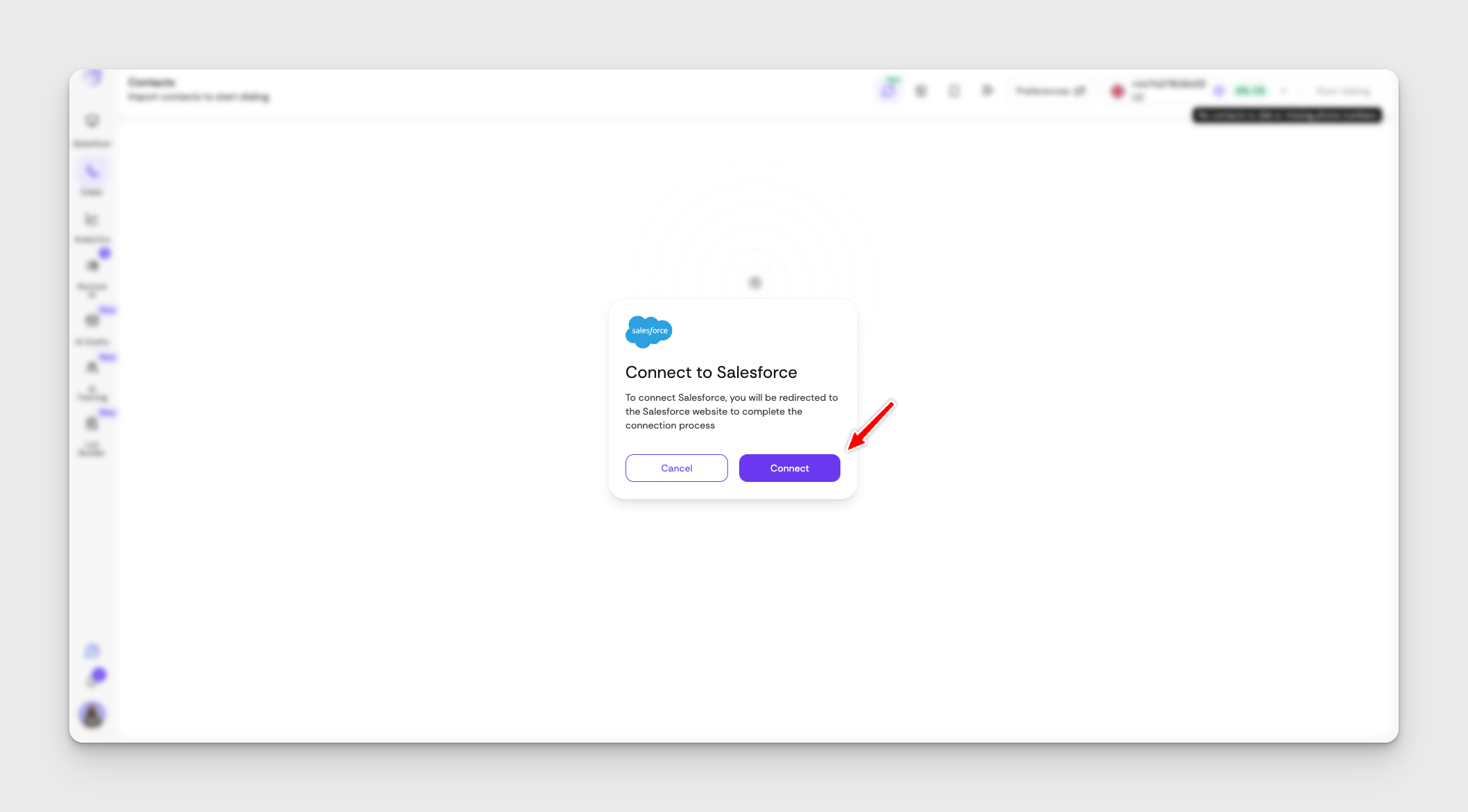
Select Connect and log into Salesforce
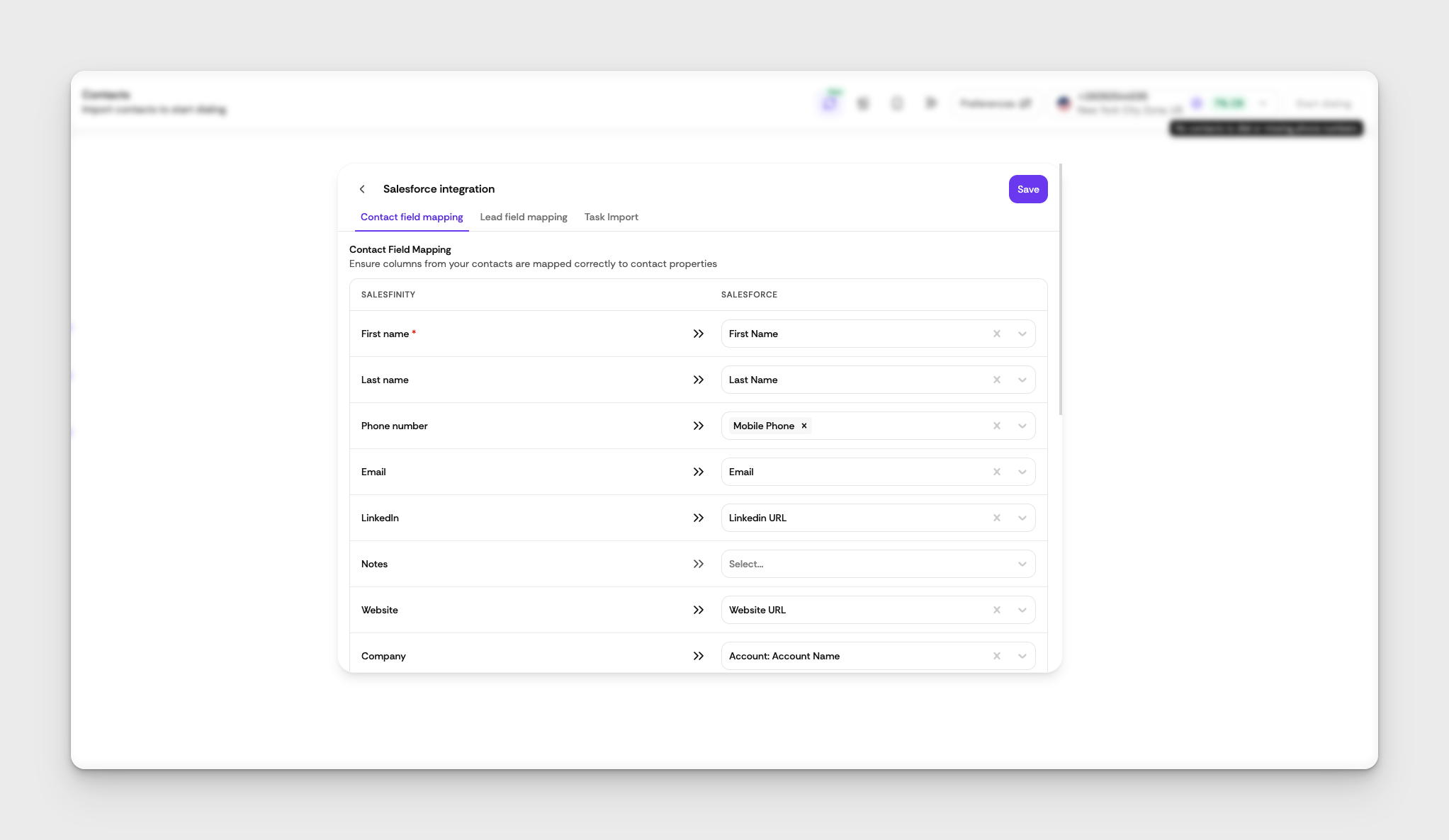
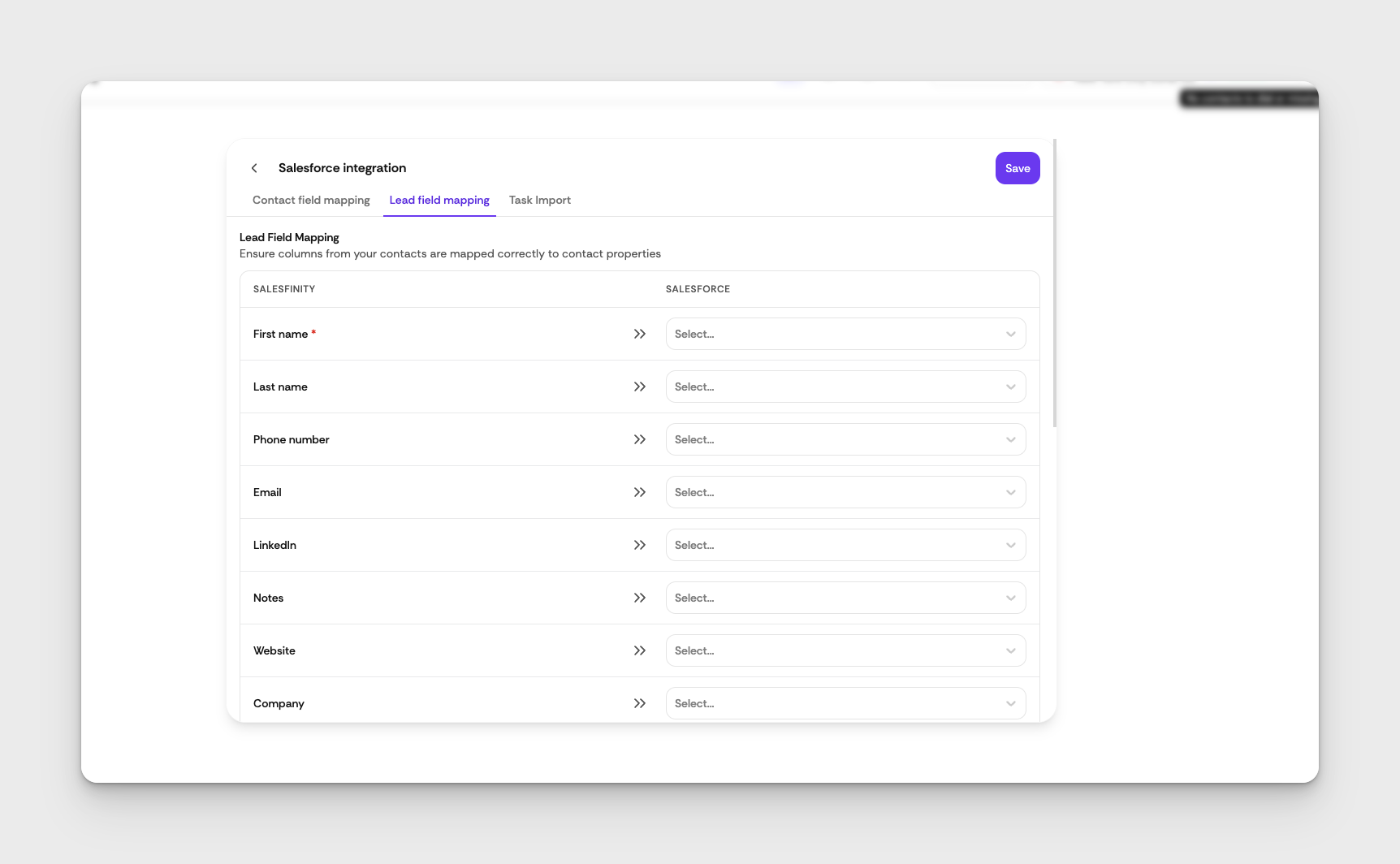
Step 2: Contact and Field Mapping
Ensure your Contacts and Fields are mapped correctly.
Once done hit Save
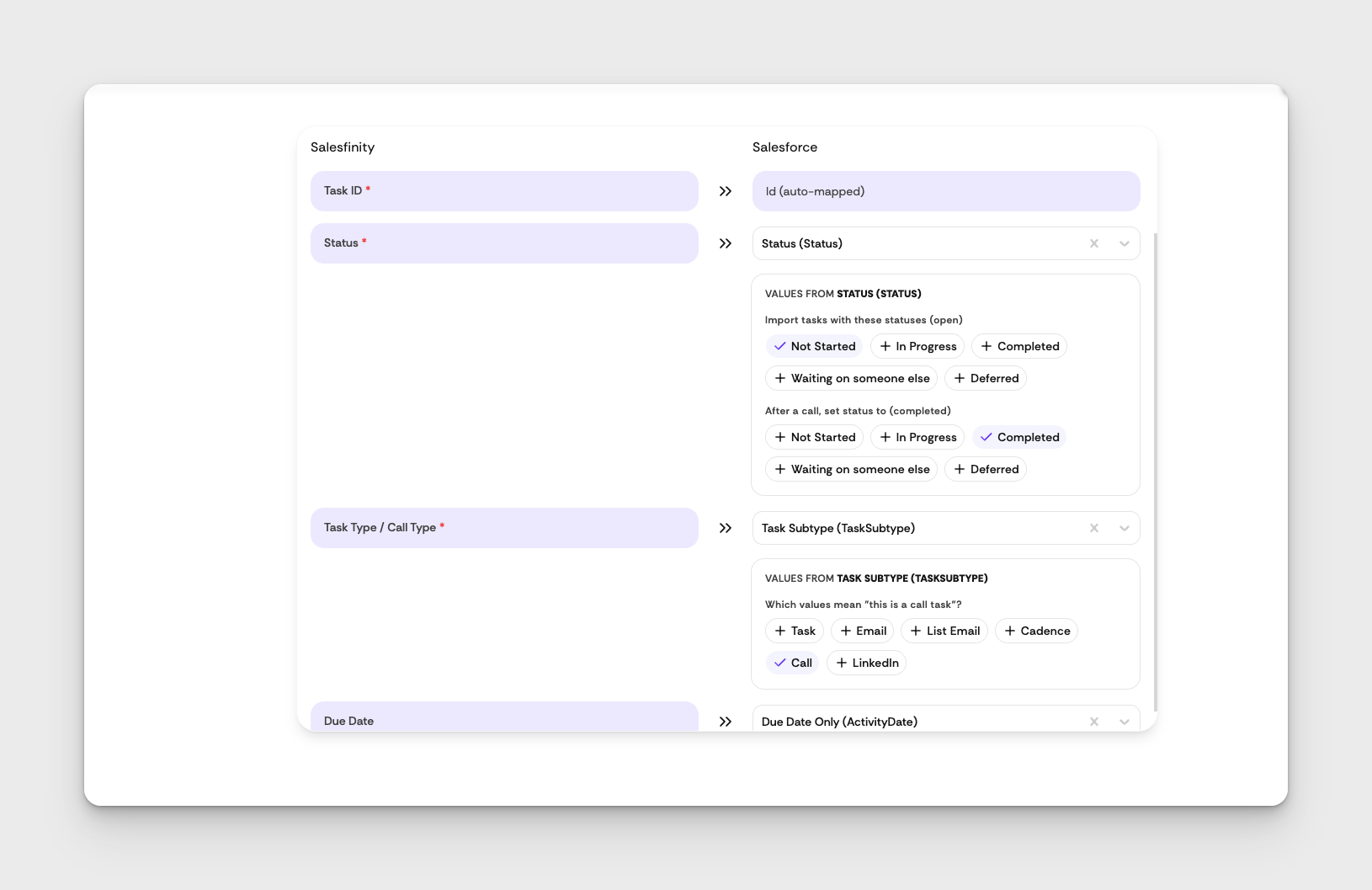
Step 3: Task Import
Map Salesforce Task fields to power task import and call logging
Once done hit Save
You're All Set!
Once the integration is active, you can start importing due call tasks directly from Salesforce to Salesfinity.