How to customize call scoring rubrics?
Last updated: September 8, 2026
Every team sells differently. Until now, Salesfinity scored every call the same way.
That changes today. SDR managers can now configure their own scoring method, and Salesfinity grades every call exactly against it.
Here's how it works:
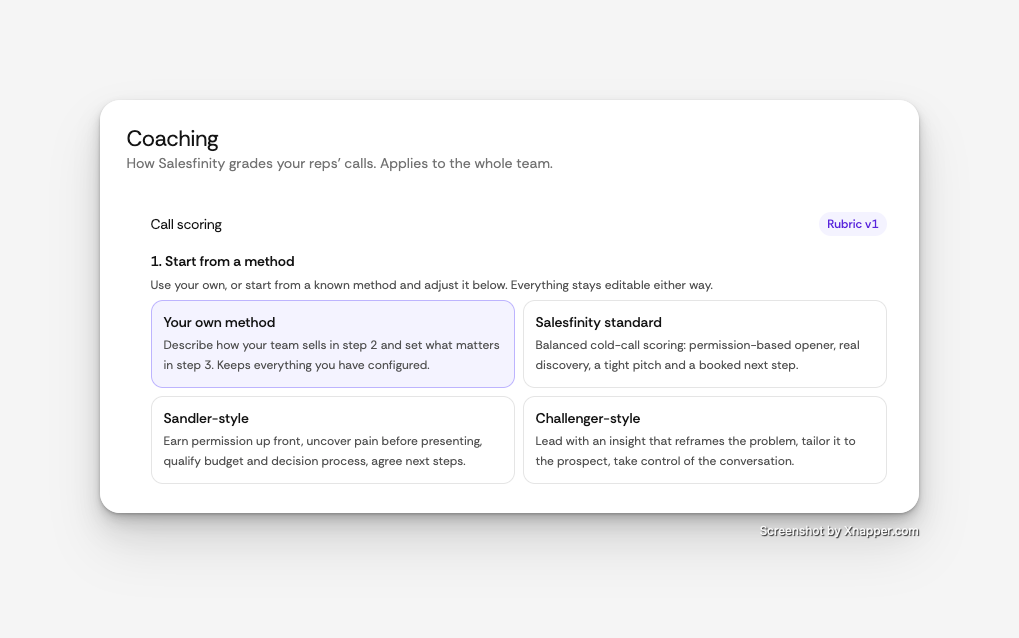
Start from a method.
Use your own, or begin with Salesfinity standard, Sandler-style, or Challenger-style. Everything stays editable.
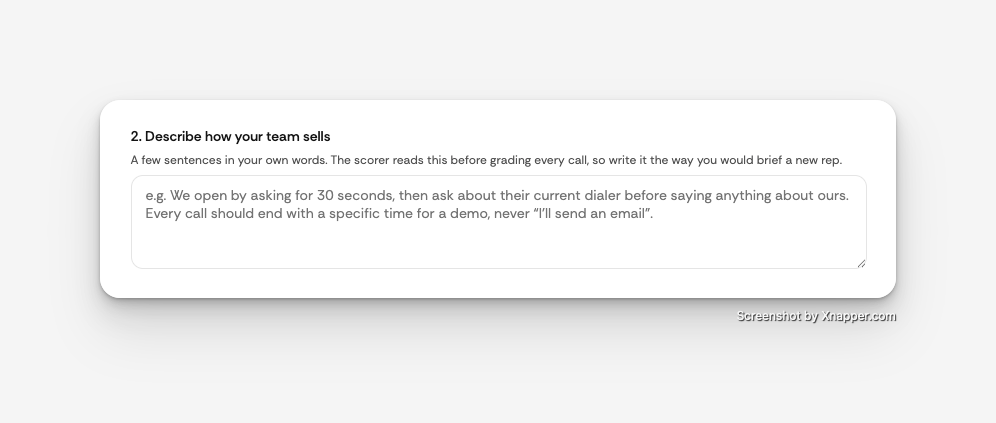
Describe how your team sells.
A few sentences in your own words. The scorer reads this before grading every call, the same way you'd brief a new rep.
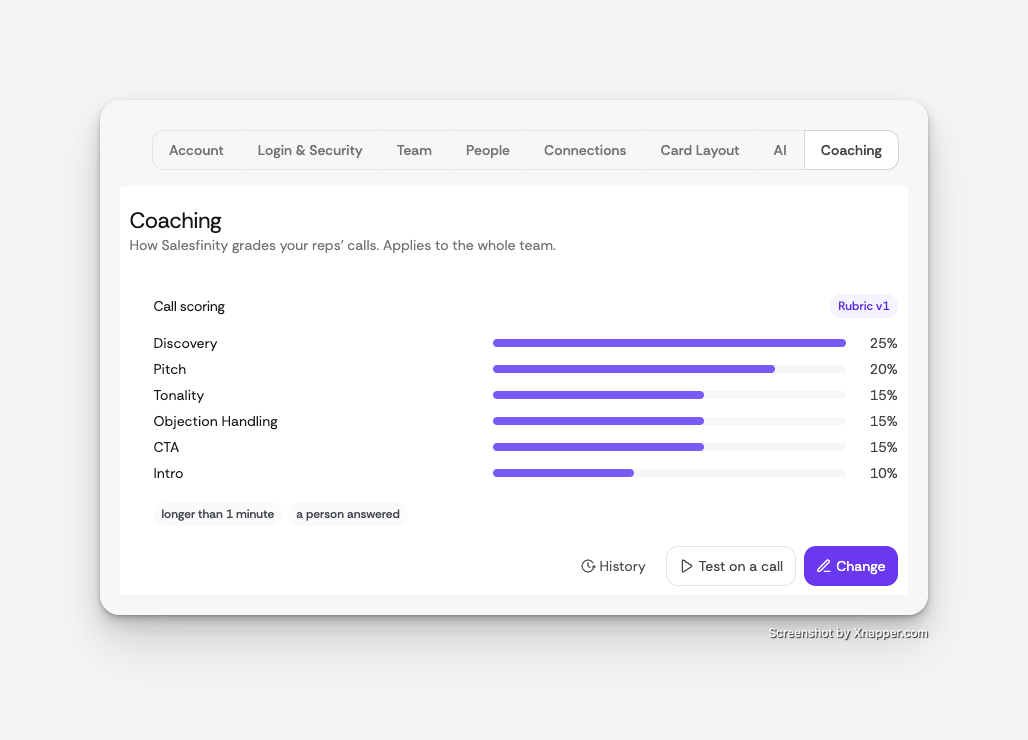
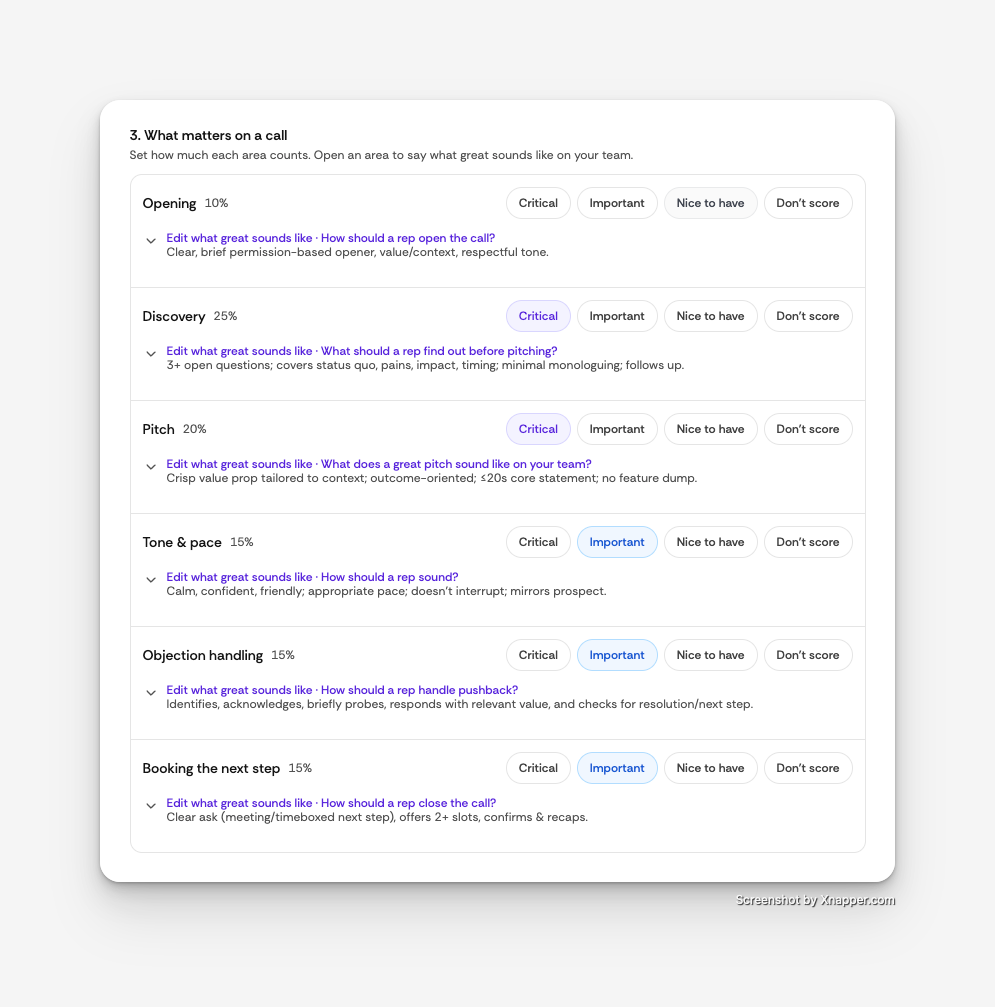
Set what matters.
Mark each area as Critical, Important, Nice to have, or Don't score. Weights adjust automatically, or set exact percentages. Open any area to define what great sounds like and what's a deal-breaker.
Add must-do checks.
The things every rep should do on every call, graded as done, partly done, or not done.
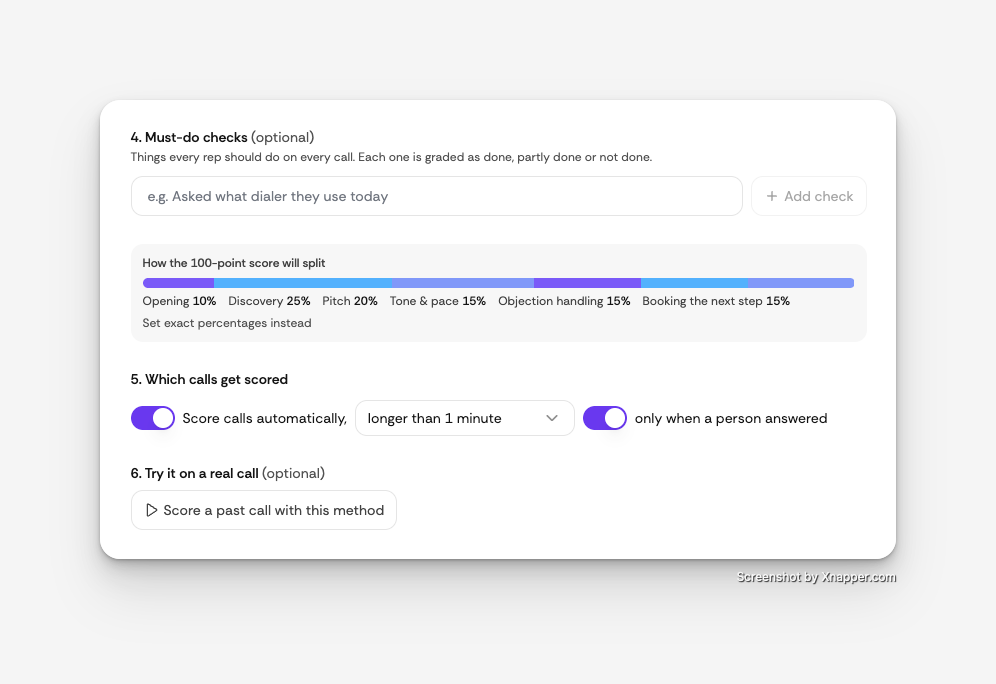
Test it before you save.
Run the method on a past call and see how it scores.
Scoring runs automatically on calls longer than a minute where a person answered. Every version is saved, so you can see what changed and when.
To set it up, go to Settings → Coaching and click Change.
If you want a hand translating your current scorecard into a method, reply to this email.
Happy to do it with you.